


Description
🛡️ *DigitaleZen AntiSpam Shield for CF7* is a free, lightweight and powerful plugin to protect **Contact Form 7** forms from spam, bots and suspicious submissions.
Integrates a **multi-level** system that includes:
– Invisible honeypot
– Hourly expiring SHA256 token
– Automatic flood protection
– Temporary IP firewall
– Blacklist updated every 24 hours from public sources (StopForumSpam, Spamhaus, SpamCop)
– Advanced logging in CSV
– Dashboard with reports, interactive graph and last attempts table
– Configurable weekly report via email
> ✅ No advanced configuration. No CAPTCHA. No data collection.
> Works out-of-the-box.
== Features ==
– 🔐 Invisible Honeypot
– ⏱️ Minimum timer for sending (min. 4 seconds)
– 🔑 SHA256 tokens valid for 2 hours
– 🧱 Soft IP firewall (10 minute ban)
– 📩 Blacklist IP, email, domains, keywords, username
– 💥 Flood protection: 3 submissions = automatic ban
– 🧾 Detailed logging (date, IP, email, reason, trigger)
– 📈 Interactive graph of spam blocked by type and period
– 📬 Weekly report via email
– 🧘 Minimal interface in DigitaleZen style
– 🔒 All visible only to WordPress administrators
== Screenshots ==
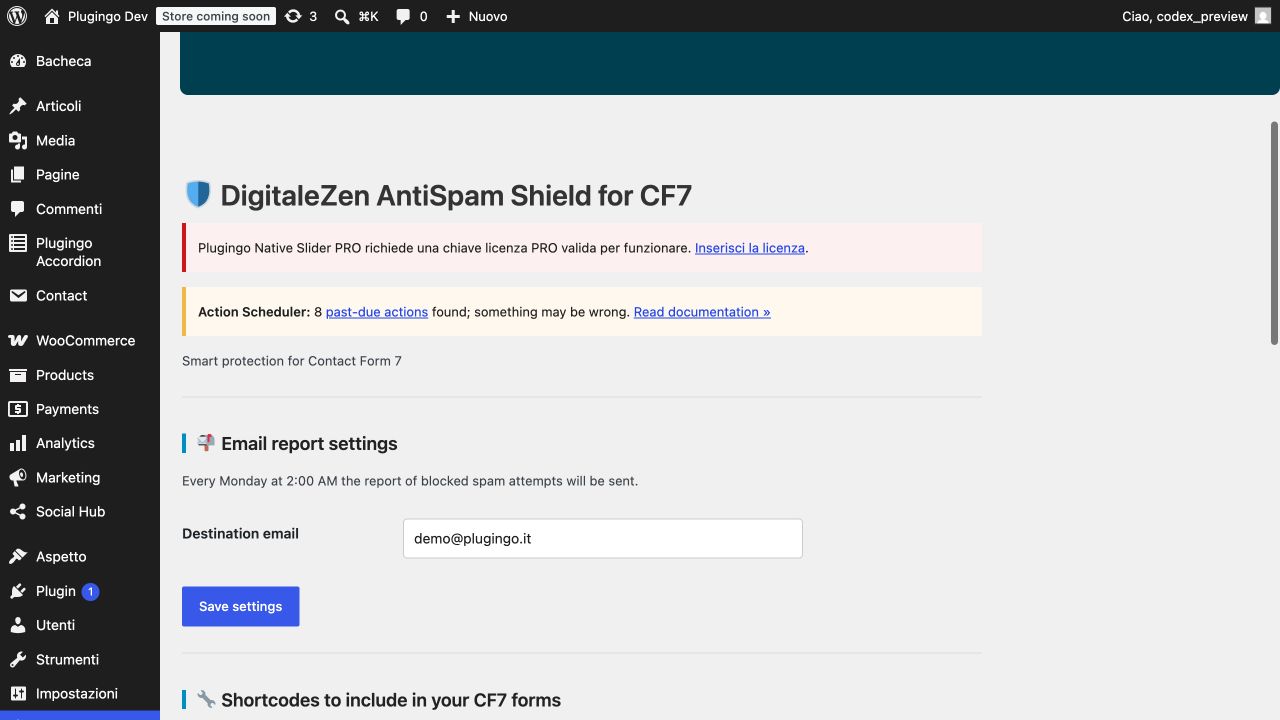
1. Plugin dashboard
2. Report email settings
3. Graph of blocked spam attempts by type
4. Detailed log of latest intercepted bots
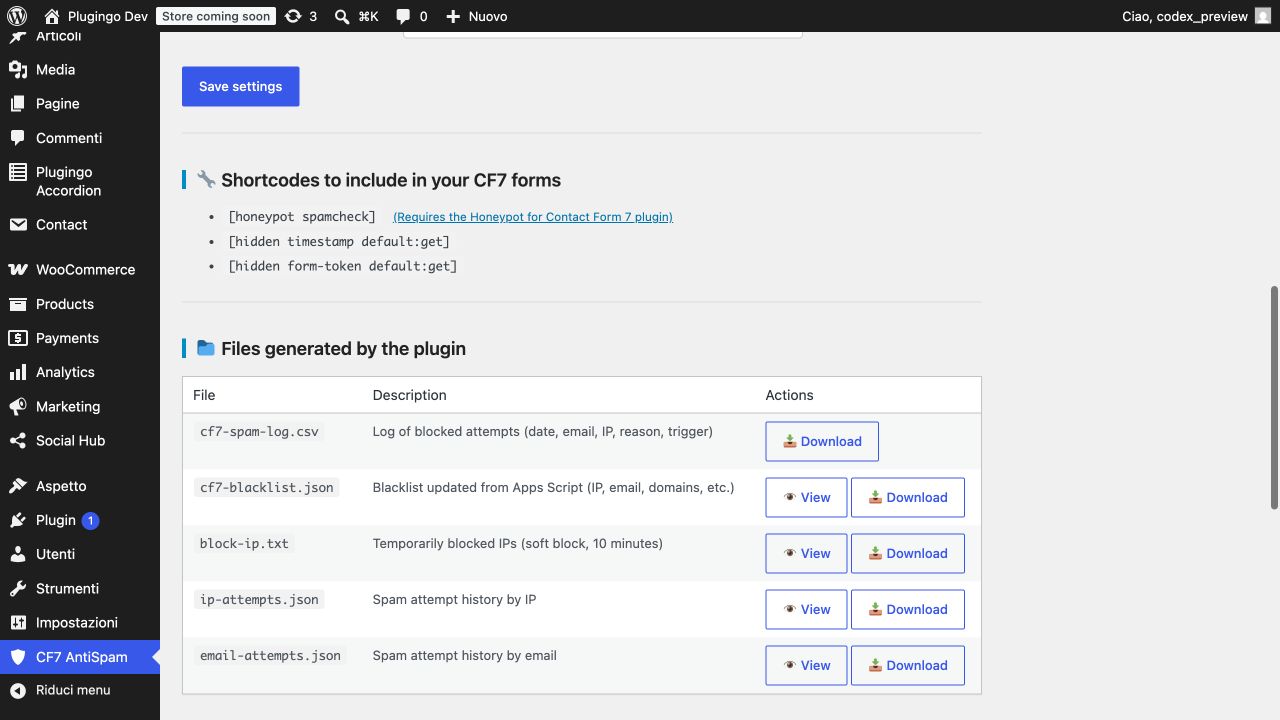
5. Viewing JSON files (blacklist and retries)
== Installation ==
1. Upload the plugin folder to `/wp-content/plugins/`
2. Activate the plugin via “Plugins > Installed”
3. Go to **Settings > DigitaleZen AntiSpam Shield for CF7** to view the data and copy the shortcodes
== Frequently Asked Questions ==
= Does the plugin work without reCaptcha? =
Yes. And in many cases it blocks attempts that reCaptcha doesn't detect.
= Does the blacklist update automatically? =
Yes. Every 24 hours it downloads a JSON file from a public URL maintained by DigitaleZen.
= Do you need to configure anything? =
No. But you can customize the email for the weekly report and activate only the shortcodes you want.
= Is user data sent to third parties? =
No. All data (IP, email, log) remains local. The blacklist is read-only.
== External services ==
This plugin periodically downloads an updated anti-spam blacklist from a service managed by DigitaleZen and hosted on Google Apps Script (domain: script.google.com).
• Purpose: Get a JSON file with abusive/disposable emails and domains used by the plugin's firewall controls.
• When data is sent: once a day via WP-Cron (and when an administrator initiates a manual update).
• What data is sent: No form content or personal user data is sent. The request is server-to-server (HTTP GET) and includes only standard headers (e.g. User-Agent).
• Storage: The downloaded JSON is saved locally on your WordPress site (e.g. in wp-content/uploads, in a plugin-specific folder).
Information from the provider (owner of the service): DigitaleZen — https://digitalezen.it/terms/ • https://digitalezen.it/privacy-policy/
Hosting Platform (Infrastructure) Policies: Google — https://policies.google.com/terms • https://policies.google.com/privacy
== Changelog ==
= 1.0.0 =
* First stable release.
* Complete protection for Contact Form 7: token, blacklist, firewall, graph, logs and email reports.
== Upgrade Notice ==
= 1.0.0 =
Initial public version with all basic and advanced features to block spam without CAPTCHA.



Reviews
There are no reviews yet.